What happens when AI sets up your business software
A walk through one real Set up with AI run, from a paragraph about HR to a working system you approved.
The short answer
AI onboarding turns a description of how your business works into a proposed setup: record types, fields, stages and automations. In Hyegro the AI asks clarifying questions, shows you the whole plan, and only builds it after you approve. You get a setup that fits without hiring a consultant or writing code.
Setting up business software has usually meant one of two things. Either someone on your team spends weeks clicking through settings, or you pay a partner to translate your process into the software's vocabulary. Set up with AI takes over the translating.
One real run
In our demo account we typed one paragraph: we want HR inside Hyegro, managers enter leave and approve it, new hires get the same onboarding checklist.
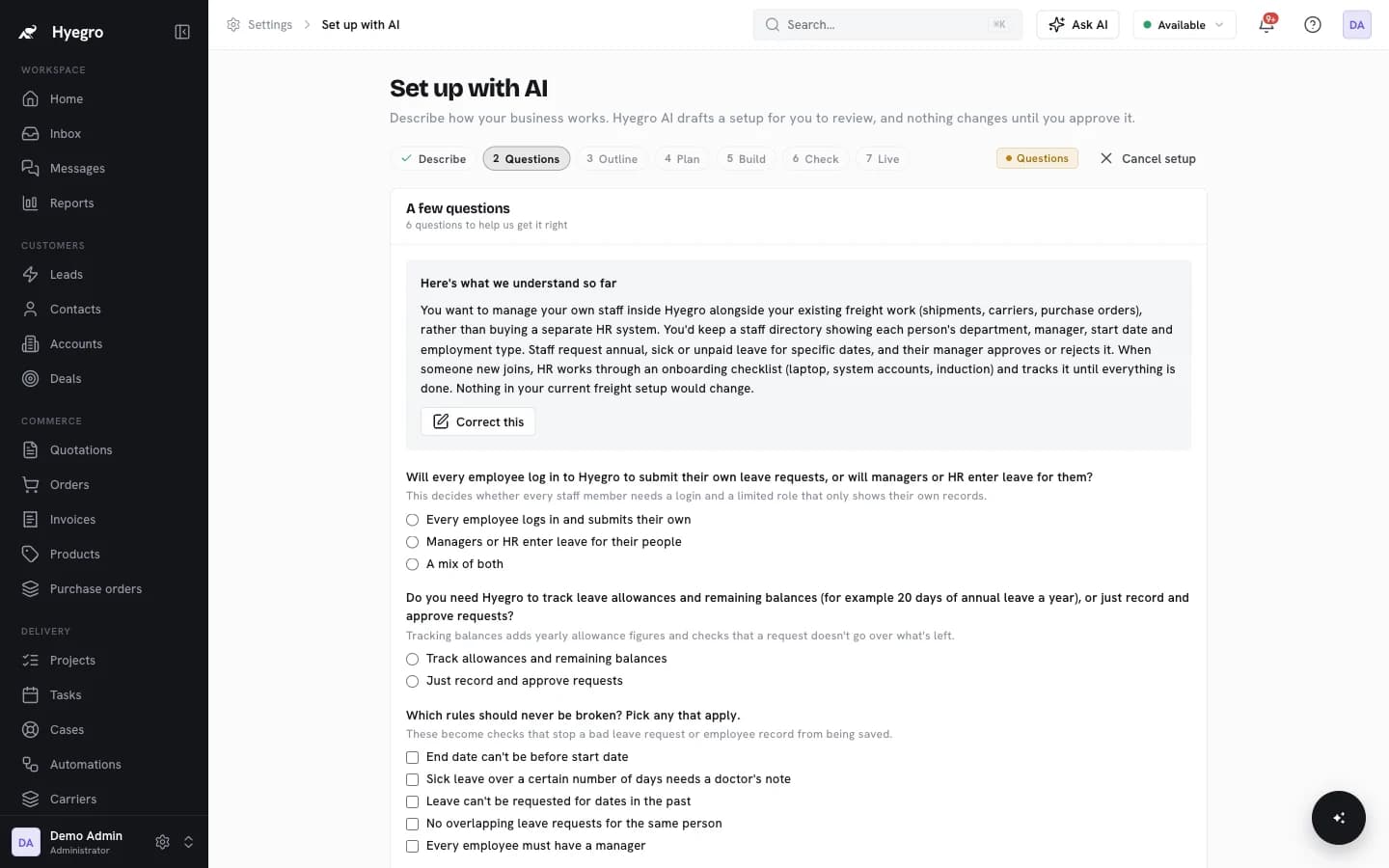
- It played the process back and asked six questions. Who enters leave? Should it track balances or just requests? Which rules must never break? Who is allowed to see home addresses?
- It wrote an outline in plain English. Employees, leave requests and onboarding tasks, with every field listed and the HR-only ones marked.
- It spelled out stages, rules and roles. Leave goes from Submitted to Approved or Rejected. End dates can't come before start dates. HR, managers and IT each see their own slice.
- We approved, and it built. 61 changes were logged, and it tested every record type, field, layout and rule before going live.
From then on the HR system behaves like any other part of Hyegro. Permissions, reports, automations and the MCP server all apply.
Why the plan matters
An AI that quietly rewires your workspace is a liability. Seeing the plan first means you catch a wrong assumption before any records depend on it, and you always know what's in your workspace and why.
It's not only for industries
The same flow handles internal processes that would otherwise become another app: an HR system, a training business, a hiring pipeline. Because they live in the same workspace, they share users, permissions and reports with everything else.
See the example workspaces, or apply for early access and we'll run it on your own process with you.